

Main Unit V2
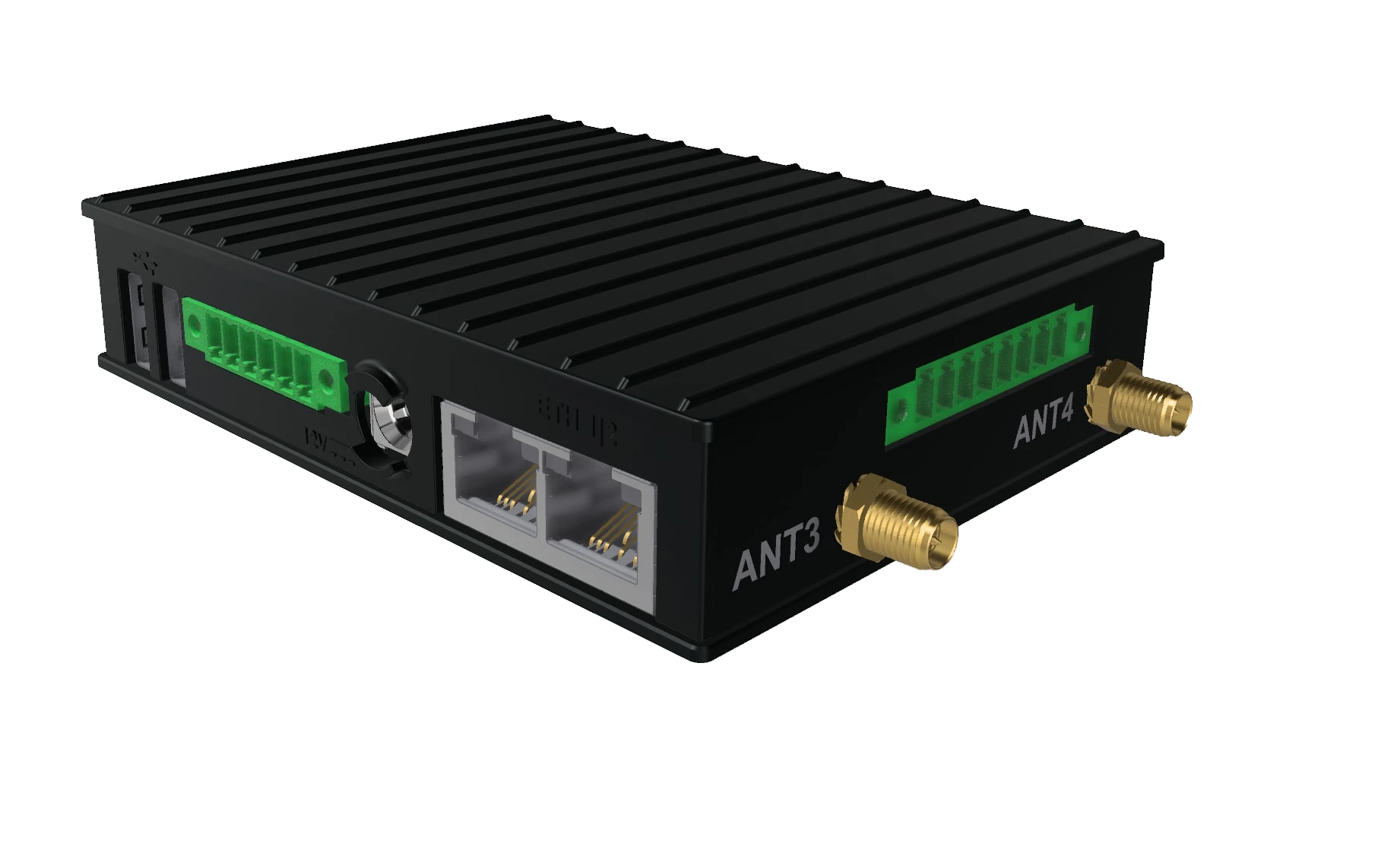
The Main Unit V2, sold as the Zora-2 Server, is the earlier generation of the unit Zora runs on. It is a single fanless aluminium box with all its ports built in and no expansion modules, so the Setup app's Connections screen has no Hardware tab on it. It runs the same Zora as the Main Unit V3.
To install it, follow Main Unit V2.
Front
From left to right:
| Part | Use |
|---|---|
| Power button | Hold until the yellow LED lights to switch on. A short press shuts down; wait for the LED to go out. A long press forces it off |
| USB | USB 2.0. Plug in a USB loudspeaker to hear alarms even with no screen connected |
| Reset | Pinhole reset. Use a paper clip or SIM tool |
| User LED | Normally off. Used for servicing |
| Debug console | For servicing only |
Shut down with the power button before you cut the power.
Rear
From left to right:
| Part | Use |
|---|---|
| Two USB ports | USB 2.0. The right one takes the hard disk, the left one a backup disk |
| RS-485 / RS-232 | 6-pin terminal block for NMEA 0183. See NMEA 0183 |
| DC IN | Power, 8 V to 36 V DC. See Power |
| ETH1 | Gigabit Ethernet. Connect it to the boat's router |
| ETH2 | 100 Mbit/s Ethernet, the radar port. See RayNet radar |
Sides
The left side carries the NMEA 2000 terminal block, see NMEA 2000. Both sides carry antenna connectors.
Power
The main unit takes 8 V to 36 V DC, unregulated, and draws 2 W to 7 W. Fuse the supply at 1.6 A below 12 V, and at 1 A for 12 V and above.
Mount it out of direct sunlight, with space around it for cooling, and not close to a shortwave radio.
NMEA 2000
Connect the backbone drop to the terminal block on the left side: the blue and white data wires, and the isolated ground. The NMEA 2000 and NMEA 0183 connections are isolated from the boat, and you can use both at the same time.
NMEA 0183
The 6-pin terminal block on the rear is set to RS-485 from the factory. Pin 1 is on the right.
| Pin | RS-485 | RS-232 |
|---|---|---|
| 1 | NEG (D-) | TXD |
| 2 | POS (D+) | RTS |
| 3 | Ground | Ground |
| 4 | Not connected | CTS |
| 5 | Not connected | RXD |
| 6 | Ground | Ground |
For an NMEA 0183 talker, connect its positive wire to pin 2 and its negative wire to pin 1, with its ground on pin 3 or 6.
Set the port up on the Setup app's Connections screen. See NMEA 0183.
Hard disk
Charts, the logbook, documents and settings are kept on a USB hard disk plugged into the rear. Without it, every screen shows No data volume and Zora does not start until the disk is back.
Specifications
| Processor | Quad-core ARM, 1.8 GHz |
| Memory | 4 GB RAM, 32 GB built-in storage |
| Network | 1 Gigabit Ethernet port, 1 100 Mbit/s Ethernet port for the radar |
| Ports | 3 USB 2.0, 1 NMEA 2000, 1 RS-485 / RS-232 |
| Security | Secure boot, TPM 2.0 |
| Supply | 8 V to 36 V DC, unregulated |
| Consumption | 2 W to 7 W |
| Size | 112 x 84 x 25 mm |
| Weight | 450 g |
| Housing | Aluminium, fanless |
| Operating temperature | 0 °C to 60 °C (Navigator), -20 °C to 60 °C (Explorer), -40 °C to 80 °C (Extreme) |
| Storage temperature | -40 °C to 85 °C |
| Humidity | 10% to 90% operating, 5% to 95% stored |
| Approvals | CE, FCC. EMC EN 55032/5, EN 61000-6-2, EN 61000-6-3. Safety EN/UL/IEC 62368-1 |