

The data link
A data link ties something in Zora to one source of live data on the boat: a battery item to that battery's readings, a widget to the value it shows. Zora uses it in two places, and they work differently. To set one up on an item, see Assets.
What a data link does
Your instruments send many values: voltages, tank levels, engine hours, wind. Zora knows each one by where it comes from, but not what it belongs to. The data link says which. Once a battery item is linked, its card shows a live gauge, its Interface tab can set the levels at which Zora warns you, and its readings belong to that battery.
An item's data link
The Data link tab of an item's editor lists only the sources of the item's own kind: a battery sees the batteries, a tank the tanks of its type, an engine the engines. There is no tree to browse.
- The first entry reads not connected, or disconnect once the item is linked. Choosing it removes the link.
- A source another item in the same folder already uses is greyed out, and that item's name shows beside it under already used by. One source, one item.
- no sensor data available for this item means nothing of that kind is sending data yet.
- Your choice is saved as soon as you tap it.
For a tank, Tank Type Override reads the level from another type of tank, for a sensor that reports its tank under a different type.
A widget's data link
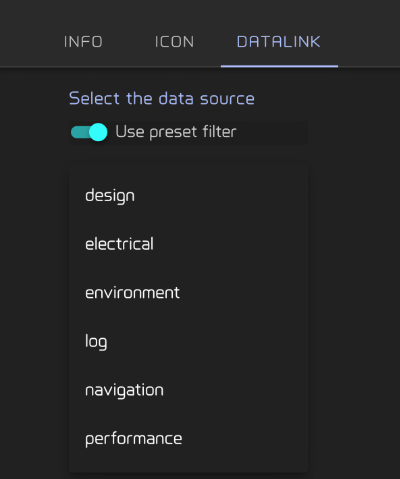
A widget's DATALINK tab can reach almost any value Zora has. You walk the boat's data one level at a time, each list narrowing the next, until you reach a single value.
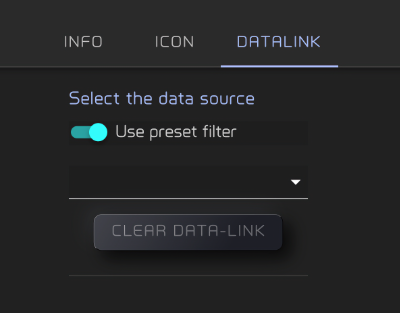
A widget made for one kind of data, such as a battery widget, starts with Use preset filter on, so it opens at that branch and you only pick which battery. Switch it off to reach any value, for example to show something unusual on a general widget.
At the last level Zora says Data-link established!, or Widget can not display this type of data when the value is text and the widget shows numbers, for example.
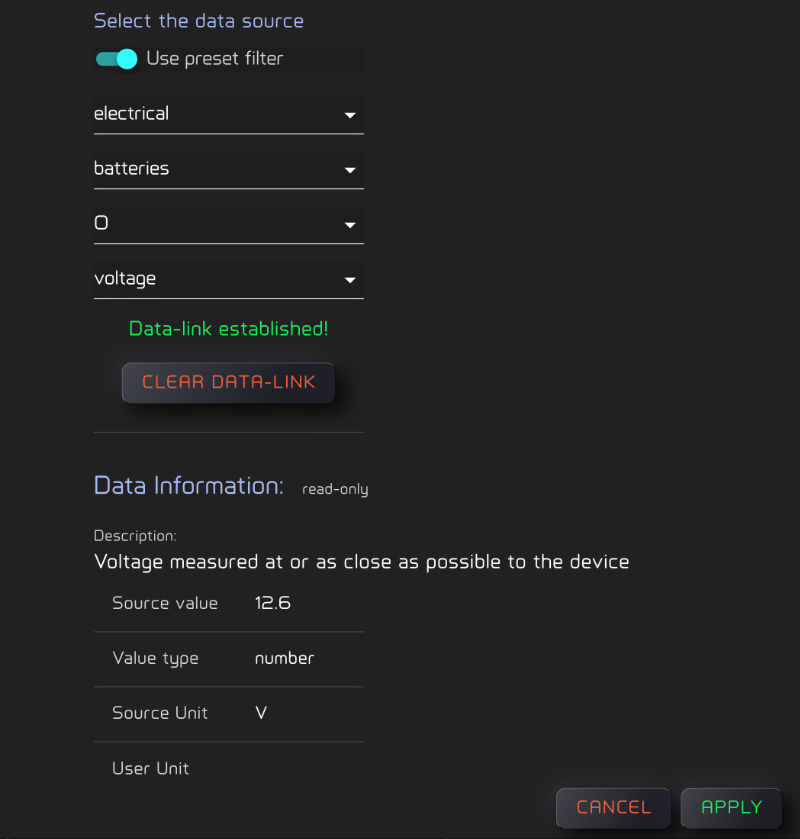
Data Information then shows what arrives: a Description, the Source value, its Value type, and for a number its Source Unit and User Unit. Displayed Value previews what the widget will show.
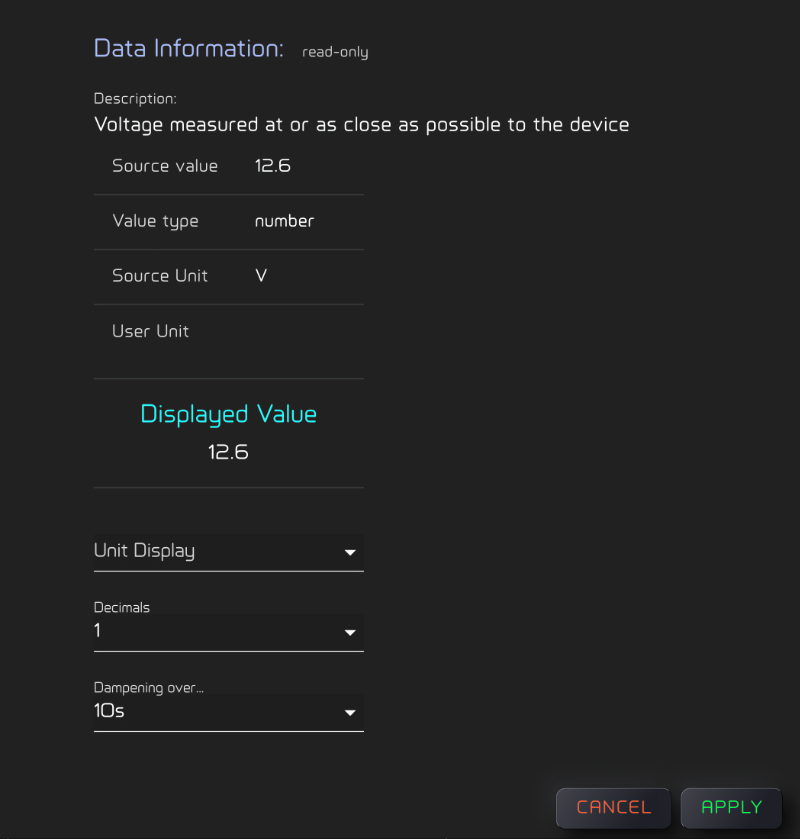
Below it, the format:
- A number: Unit Display, Decimals (0 to 3) and Dampening over..., which smooths the value over up to 60 seconds so a jumpy reading settles. Decimals and Dampening apply with or without a Unit Display; without one, the value is shown in the unit it arrives in.
- Text: Letter Case.
- An on/off value: Boolean display format, true/false or on/off.
clear data-link unhooks the widget. Apply saves the widget, Cancel leaves it as it was.
Units
The Source Unit is what the instrument sends. The User Unit is what you read, after Zora converts the value to the units you chose.
Some instruments send a number with no unit. The Source Unit is then a list, and the unit you pick is kept for that value from then on, for every widget that shows it.