

Notifications Settings
When you leave the boat, Zora can send its alarms to your phone by email and SMS. This is where you enter the email addresses and phone numbers they go to. Which alarms are sent is chosen later, in the Notification Manager; see Away mode.
To see where notifications come from and how they leave the boat, read Notification and assistance.
Before you start
Zora needs the internet for this screen. The addresses and numbers are kept in the iNav4U cloud for your boat, and the screen reads them from there. Without internet the item is greyed out.
Open Notifications Settings
- Tap the Zora logo in the app bar and choose Settings.... See Settings.
- Under Cloud & Alerts, tap Notifications Settings.
Zora fetches your connections and lists them, each with Mobile or email under it. If the cloud does not answer, the screen says so: check the boat's internet and tap Reload.
Add an email address
- Tap Add Connection. The Add Cloud Connection window opens.
- Tap email and type the address in E-mail.
- Tap save.
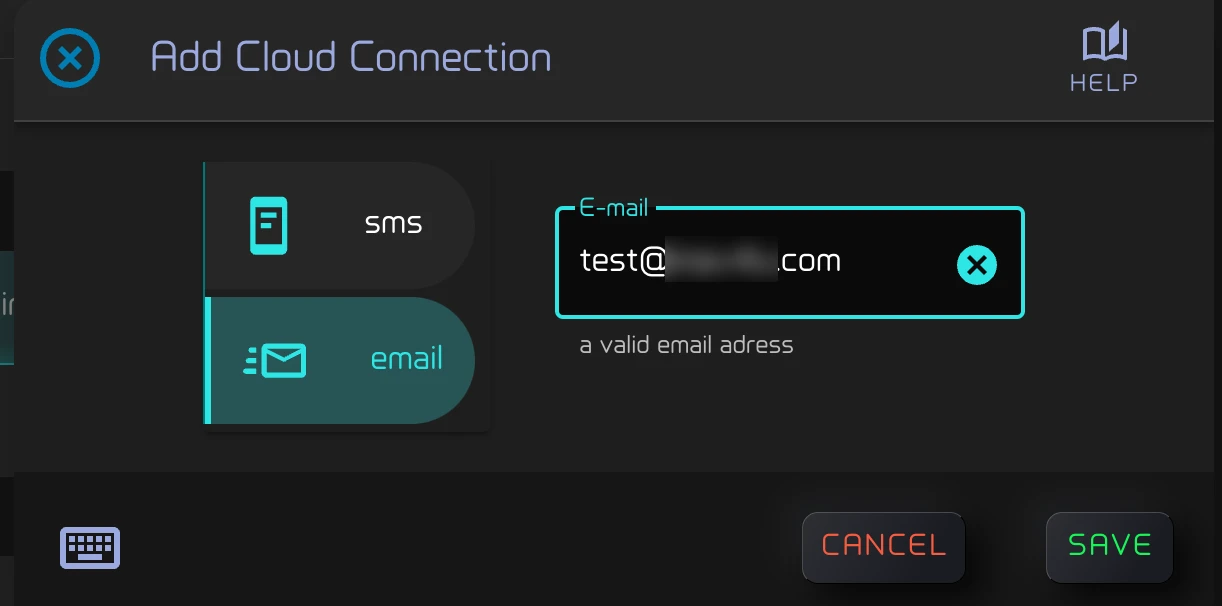
Zora tells you to check that inbox for a confirmation link. Open the email and confirm, then tap Reload.
Add a phone number
- Tap Add Connection. sms is already selected.
- Type the number in Phone Number in full international form: a +, the country code and the number, with no spaces. For example +33612345678.
- Tap save.
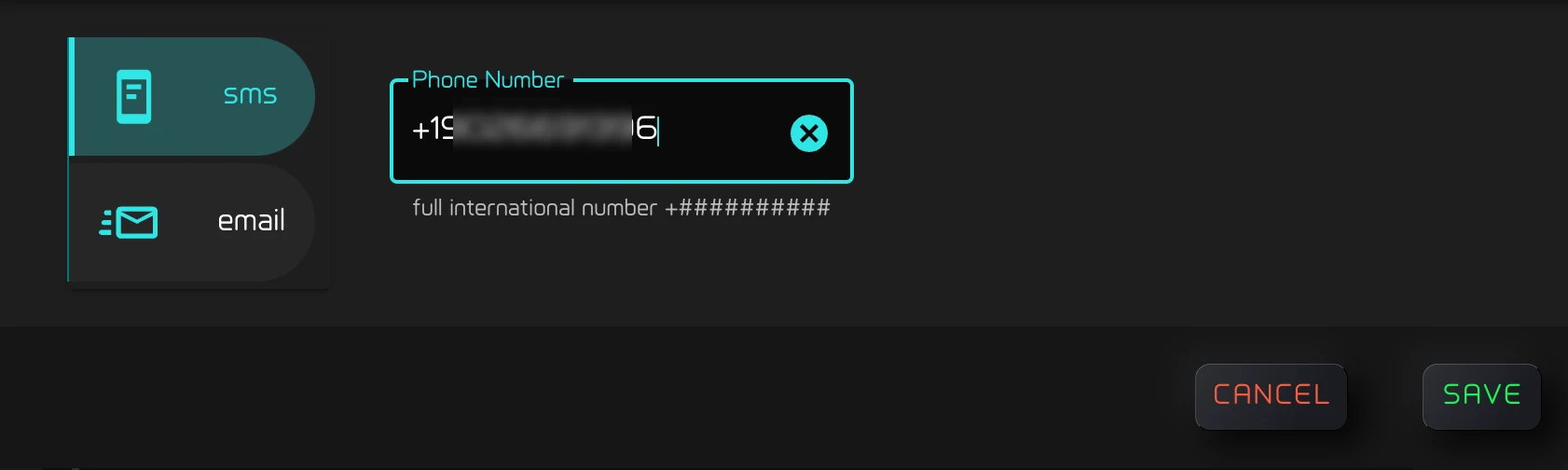
Activation can take a few minutes. The list reloads by itself a few seconds later; tap Reload if the number is not there yet.
An address or number that is already in the list is refused as already registered. If the cloud refuses it, Zora shows The request was not accepted.
Send a test
Once one connection is listed, two buttons appear below the list:
- send Test SMS sends "Test message from Zora via SMS" to every phone number in the list.
- send Test Email does the same to every email address.
An SMS can take a few minutes to arrive. Check the spam folder for the email.
Remove a connection
Tap the bin at the end of its row, then yes remove under Please confirm.
Next
Choose which alarms are sent by email or SMS, and turn on Away mode when you leave the boat: Away mode.