Third-Party Integrations
The Third-Party Integrations tab connects Zora to services and equipment from other makers. You find it in the Zora Setup app. See Open the Setup app.
Open the tab
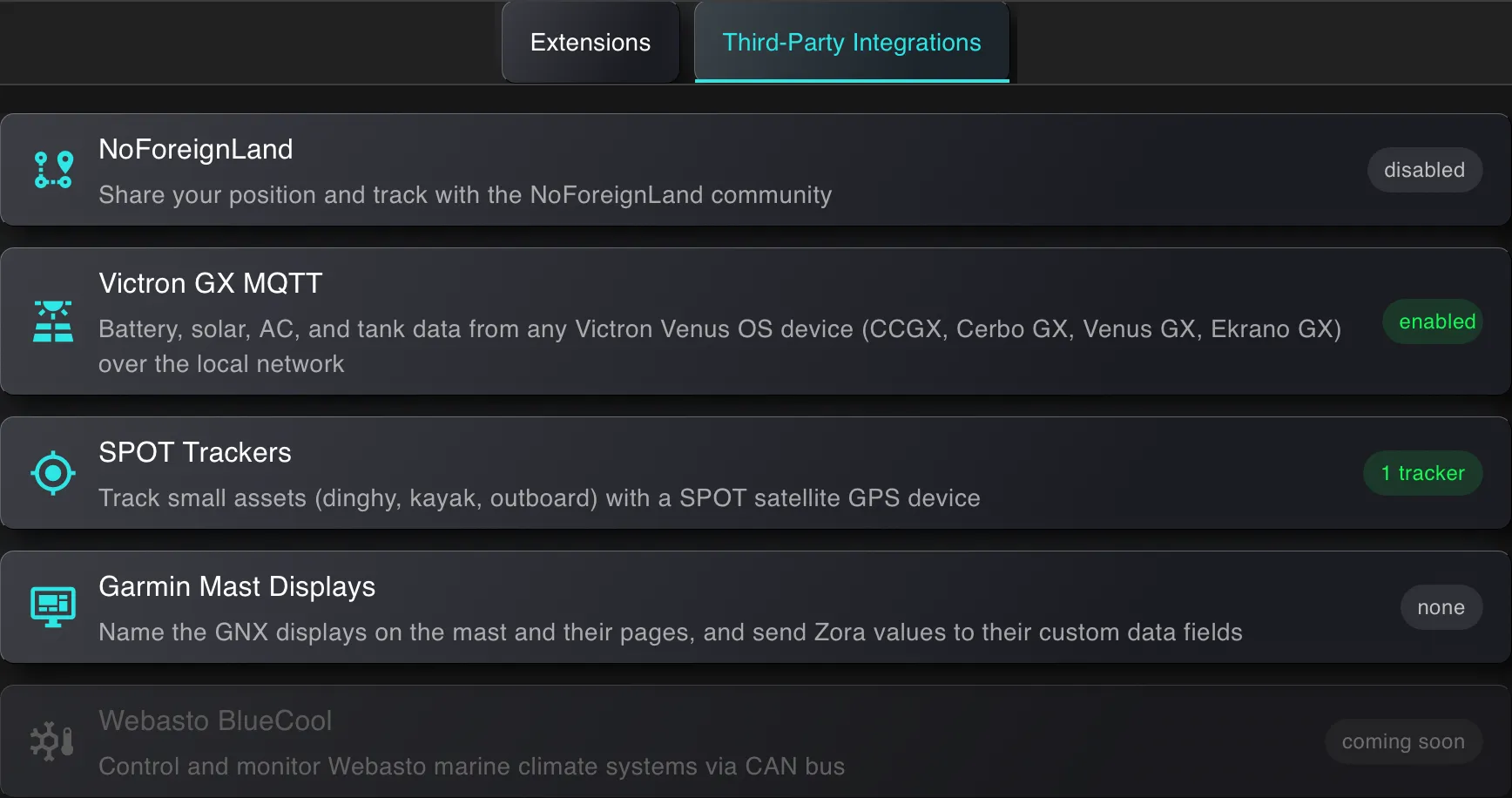
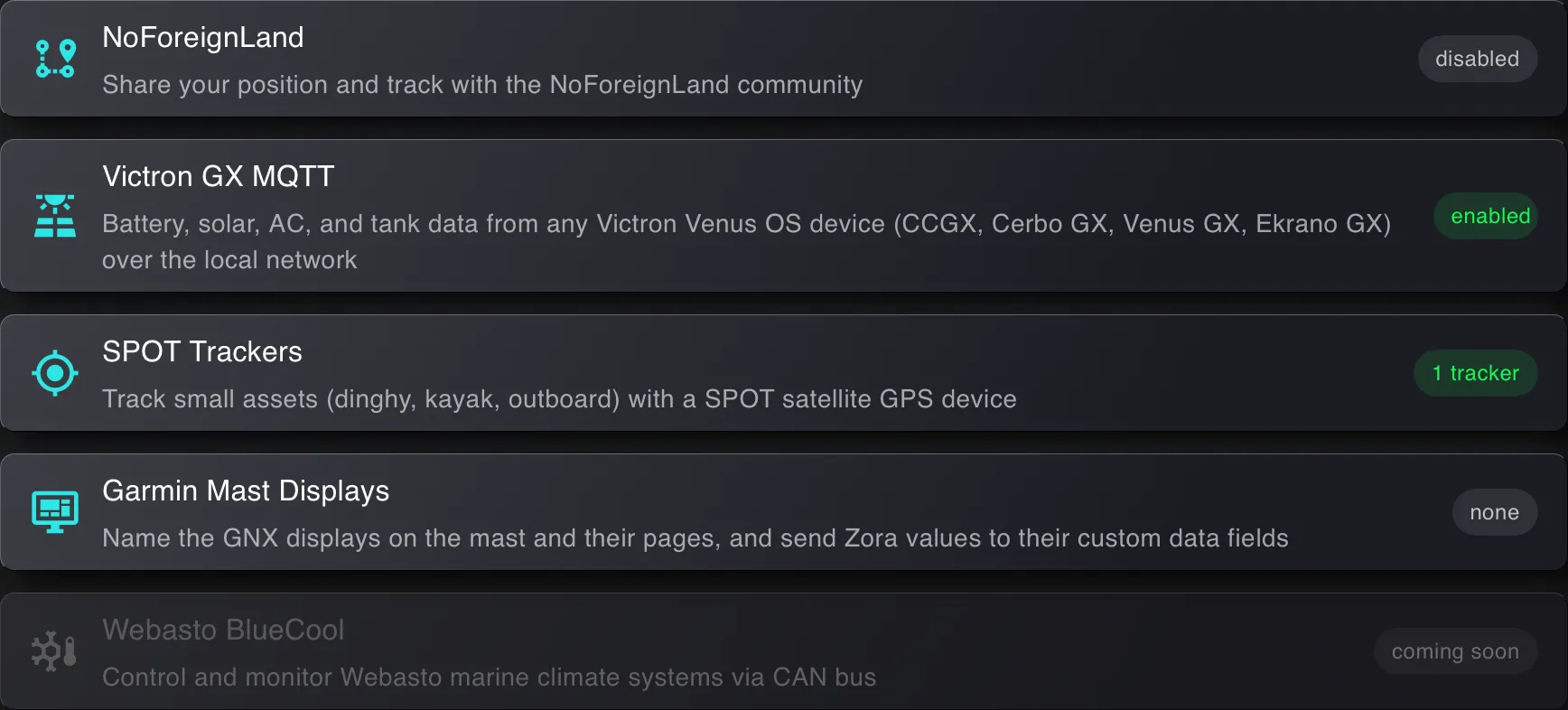
On the Setup app's home screen, tap Add-ons & Third-Party, then the Third-Party Integrations tab. It has five cards:
- NoForeignLand: uploads the boat's track to noforeignland.com. See NoForeignLand.
- Victron GX MQTT: reads a Victron GX device over the boat's network. See Connect a Victron Cerbo GX.
- SPOT Trackers: follows small craft on the chart, below.
- Garmin Mast Displays: shows Zora values on Garmin GNX mast displays. See Garmin Mast Displays.
- Webasto BlueCool: not available yet, below.
SPOT Trackers
A SPOT tracker is a small satellite GPS device you fix to a dinghy, an outboard, a kayak or anything else small. Zora shows where it is on the chart.
Before you start
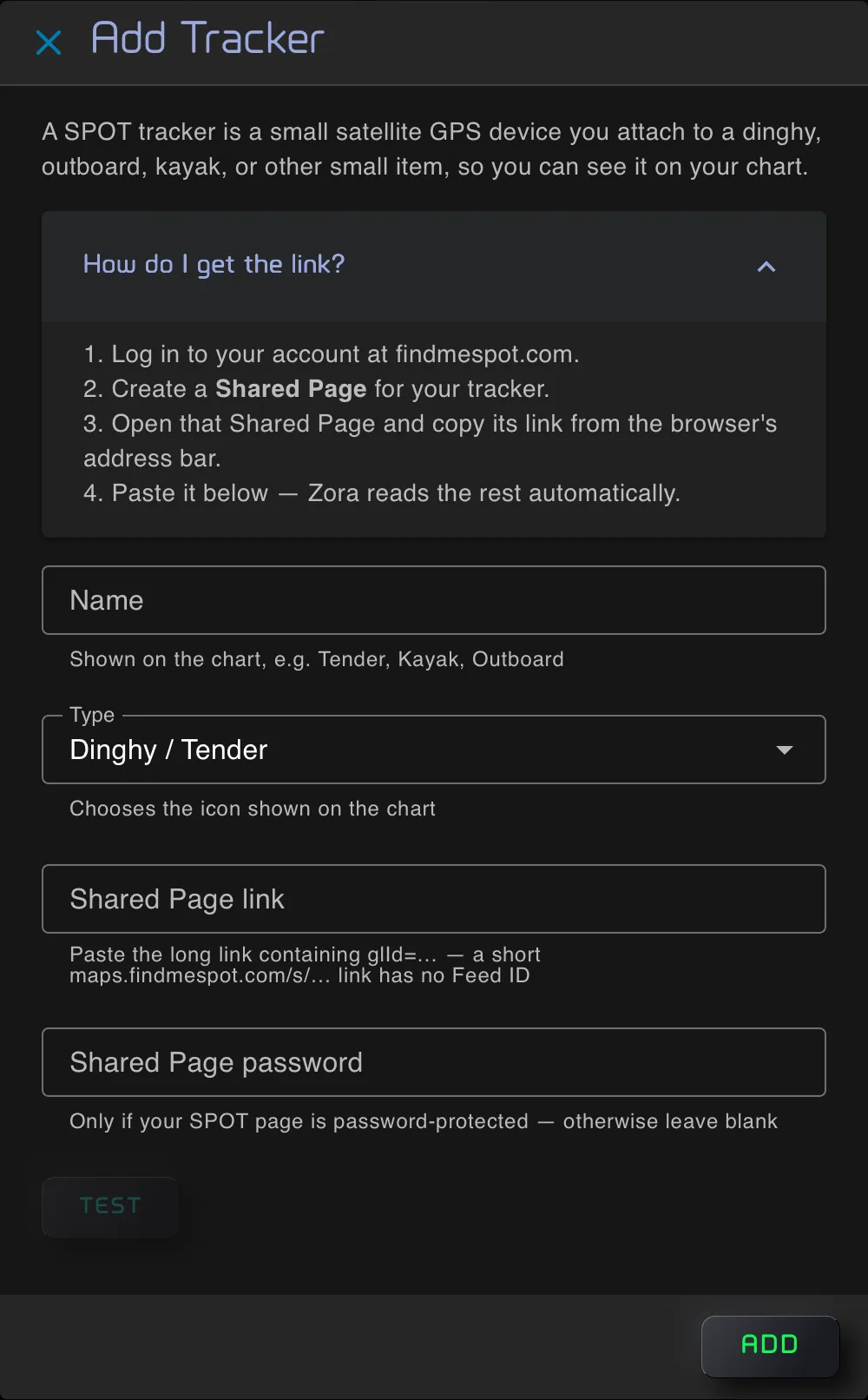
Zora reads the tracker through a SPOT Shared Page. Log in at findmespot.com, create a Shared Page for the tracker, open it, and copy its link from the browser's address bar. The website opens outside Zora and needs internet.
Use the long link, the one that contains glId=. A short maps.findmespot.com/s/… link does not carry what Zora needs.
Add a tracker
- Tap SPOT Trackers, then +. Add Tracker opens.
- Enter a Name, such as Tender. Zora's Trackers list and the tracker's card show it.
- Pick its Type: Dinghy / Tender, Outboard, Kayak / Paddleboard or Other. The type sets the tracker's icon in the Trackers list. On the chart, every tracker has the same pin.
- Paste the link into Shared Page link. If the Shared Page has a password, enter it in Shared Page password; otherwise leave that empty.
- Tap Test. Position received ✓ means Zora can read the tracker. Otherwise it says why, for example that the device has not reported yet.
- Tap Add.
The list shows each tracker with how long ago it was last seen, or no position yet. A tracker that sends nothing new keeps its last position. To change one, tap it, edit it, and tap Update. To remove one, tap its bin icon, then Delete.
Tracking settings
At the top of the list:
- Enabled turns tracking on or off for every tracker.
- Update every sets how often Zora checks for new positions: 5, 10 or 15 minutes. It starts at 10.
Both are saved as soon as you change them.
In Zora, a Trackers entry appears in the chart's tools once the first tracker has reported.
Webasto BlueCool
The card is greyed out and marked coming soon.
Coming. The BlueCool CAN-Bus module is documented and Zora does not speak it yet.
Radar
A radar has no card on this tab. Which radars work with Zora, and what each one needs on the boat, is in Compatibility: Radar. Using the radar is in the Zora guide: Radar.