
PND
The PND, the primary navigation display, puts the numbers you steer by on one screen: heading, wind, depth and speed around a compass. Groups of readouts sit beside the heading at the top and beside the speed over ground at the bottom, and the autopilot buttons are at the bottom right. The layout is fixed.

Open the PND
Tap SCREENS in the app bar, then PND on the Navigation tab.

Read the compass
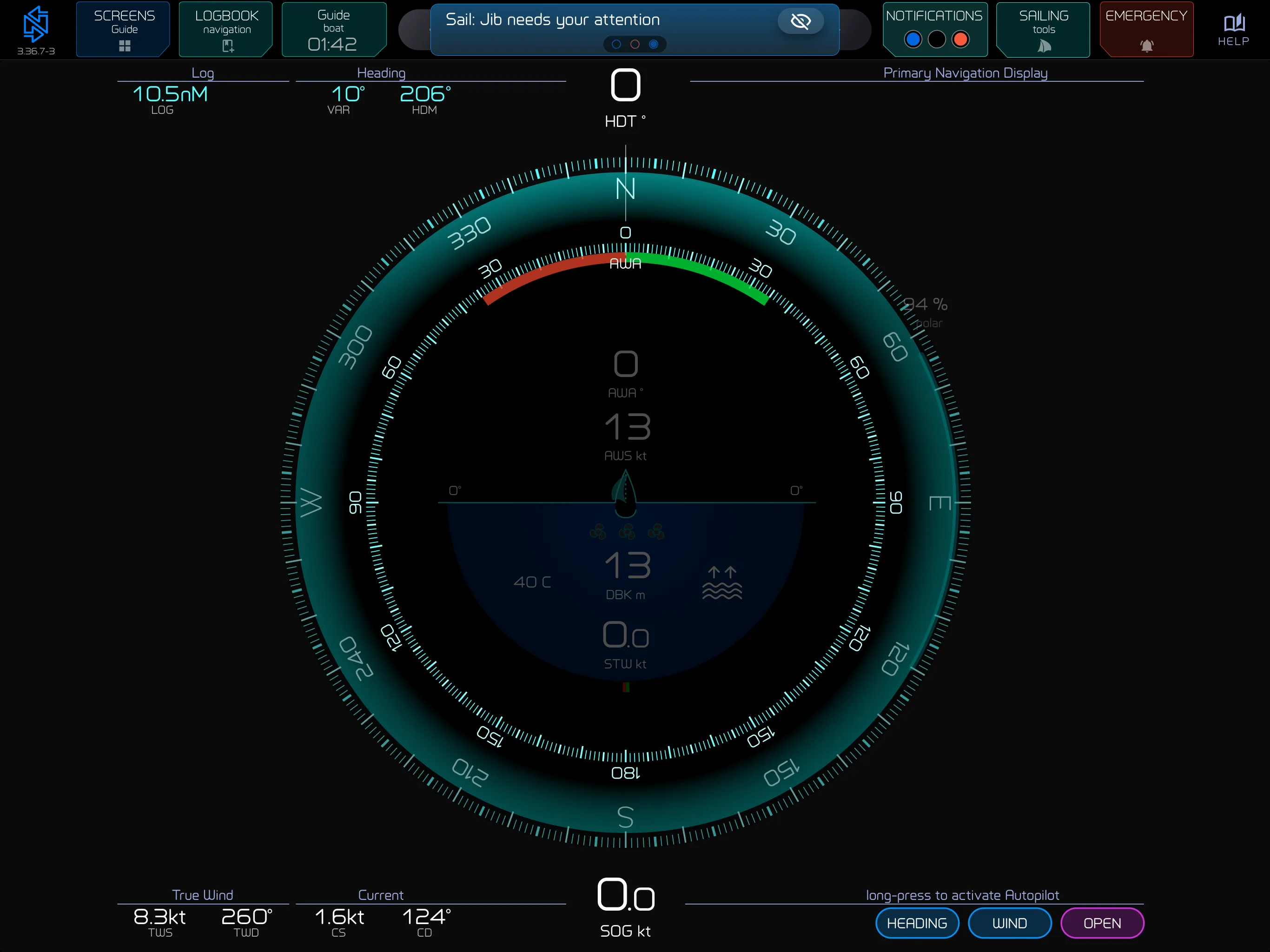
The outer ring is the compass. It turns so that the boat's heading is always at the top.
- HDT, the large number at the top, is the true heading. The Heading group to its left shows VAR (variation) and HDM (magnetic heading).
- Press and hold HDT for half a second to show the magnetic heading as the large number instead. HDT then moves into the Heading group where HDM was. Press and hold again to switch back. The compass and every other bearing on the PND stay true, so the large HDM and the compass under the top mark differ by the variation. An outlined triangle marks that number on the compass, left of the heading triangle with easterly variation, right with westerly. Each display remembers its own choice, and the bearing on the chart's Position card follows it. A tap on the large number opens the true heading history either way.
- COG marks your course over ground while the boat is moving.
- TWD is the arrow that shows where the true wind comes from. The bars outside the ring build up where the wind has been blowing from, and fade over a few minutes.
- When sailing or motor-sailing, a TACK mark shows your heading after the tack. With the wind aft of the beam it reads GYBE. On a route or a go-to it turns a see-through magenta with a magenta outline and points at the heading that sails the other layline, with current and leeway allowed for. Until your first tack, Zora takes the current for the other layline from the predicted tidal stream, where there is one. Otherwise it stays solid green and shows the heading you would have on the other tack.
- On a route or a go-to, a magenta STEER mark shows the heading to steer for the next point, with current and leeway allowed for. If you can lay the point, it is the heading that gets you there. On a beat or a run it is the heading of the first leg, and when it is time to tack or gybe it moves to the heading on the new tack. It sits under the heading mark, so the two line up when you are on it. It shows only when sailing or motor-sailing, and not during a man overboard.
- A blue CURRENT arrow shows which way the surface current is setting, when there is one.
Tap any of these marks and Zora names it.
Read the wind ring
The inner ring is fixed to the boat: 0 is the bow, and it counts to 180 down each side.
- AWA is the arrow for the apparent wind angle.
- The red arc to port and the green arc to starboard cover the first 30 degrees off the bow. They brighten when you sail closer than 35 degrees to the apparent wind.
Read the centre
- AWA at the top of the centre is the apparent wind angle, with AWS, the apparent wind speed, under it. The AWA number moves to the side the wind is on.
- The water and the sky tilt the way the horizon does from on board. When the boat heels, the horizon rises on the low side.
- DBK in the water is the depth below the keel. Deeper than 100 m (300 ft, 55 fathoms) it reads ~~~. If the depth stops coming for 30 seconds, it reads no depth offshore?
- STW is the speed through water. The water temperature is to its left, and the tide arrow to its right points up while the tide is rising.
- The barometer arrow, left of STW and under the water temperature, shows whether the pressure is rising, steady or falling.
- SOG, at the bottom, is the speed over ground.
- The coloured band along the bottom of the water is the rudder angle: red to port, green to starboard.
- When sailing, an arc on the right shows your speed as a percentage of the boat's polar. It turns green at 100% or more.
- A running engine shows an arc with its rpm. The arc changes colour above 2700 rpm.
Tap for more
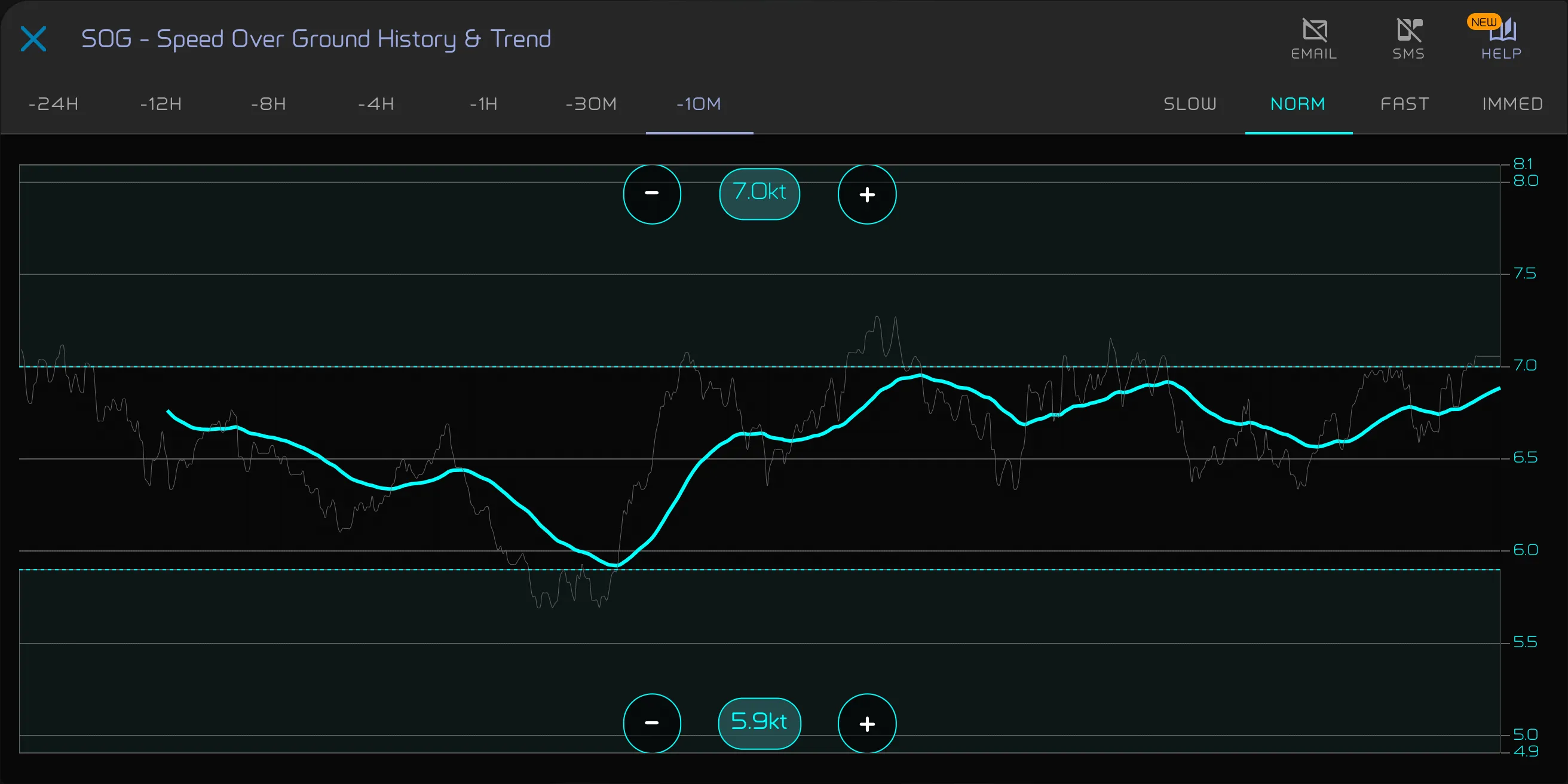
- Tap a number to open its history.
- Tap the rudder band or the polar percentage for their history.
- Tap the tide arrow or the barometer arrow. A window opens with the tabs Info, GPS Sat, Sun/Moon, Weather and Tide, on Tide or Weather.
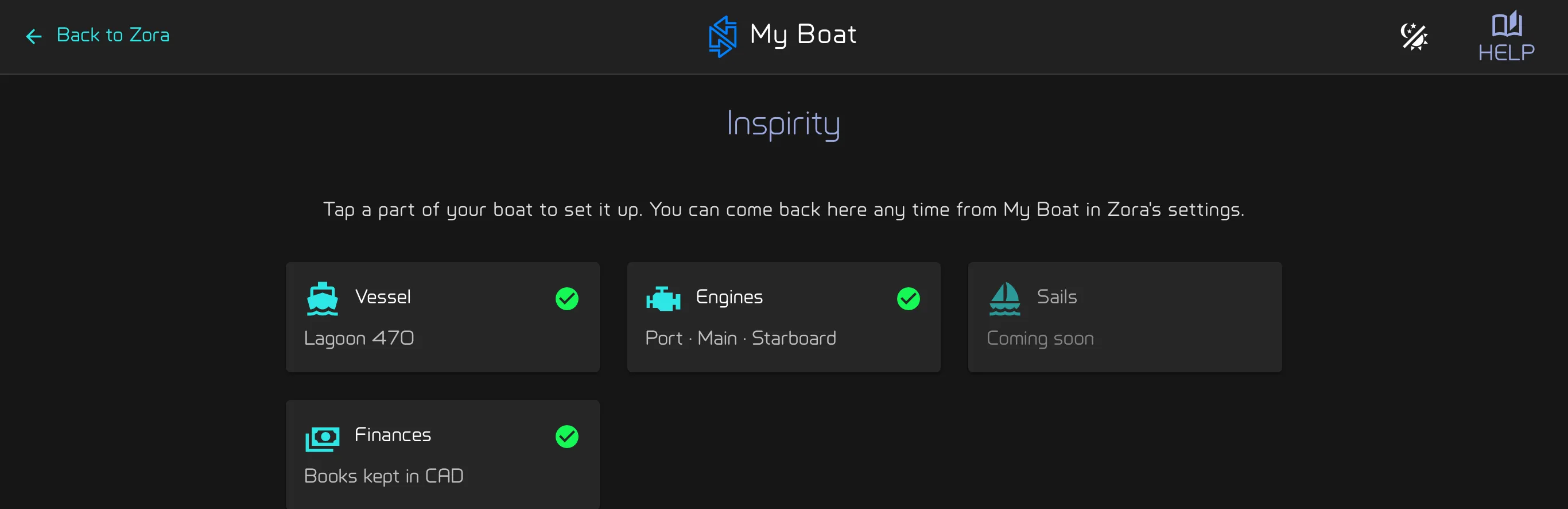
- Press and hold the boat to open My Boat.
With a route, a race or a man overboard
When you are sailing a route, the Route group at the top right shows BTW and DTW, the bearing and distance to the next point, then VMG and the ETA. The ETA is the route bar's, so with weather routing on it is the plan's arrival (see The arrival time). Tap the ETA to see the time to go (TTG) instead. A waypoint mark on the compass points to the next point. Tap anywhere else in the group to open the chart tools.
During a man overboard the POB group takes its place, with BTP, DTP and TTP: the bearing, distance and time to the person in the water.
During a race the Start group takes the top right before the start. It shows the call (EARLY, ON TIME or LATE) and your time in hand, then the countdown to the start and VMG. Until a start timer is set, it shows the time to the line (TTG) in place of the call. On the leg to the finish line the Finish group shows the time to go (TTG), the ETA and VMG. See Start Line.
The autopilot buttons
The Autopilot group at the bottom right holds the autopilot buttons. A button that cannot act is hidden.

In standby, HEADING and WIND engage the pilot to hold the heading or the wind angle. The group offers the modes your pilot accepts, so a pilot that cannot hold a wind angle shows only HEADING. Press and hold the button for half a second. A short tap does nothing, so a stray touch cannot engage the pilot. While these buttons show, the title reads long-press to activate Autopilot.
While the pilot steers, the title shows what it holds, such as HDG 273°, wind -45° or route 12°. In heading and wind mode, −1 and +1 move the target by one degree. STANDBY puts the pilot on standby.
OPEN opens the autopilot controls, and reads CLOSE while they are open; it never engages the pilot. The pilot's target also shows as a coloured mark on the compass, or on the wind ring when it steers to the wind. See Autopilot.
If the captain has locked Autopilot for your role, the buttons stay on screen but greyed out, and a tap on one tells you why. OPEN still opens the autopilot controls. See Permissions.
The log
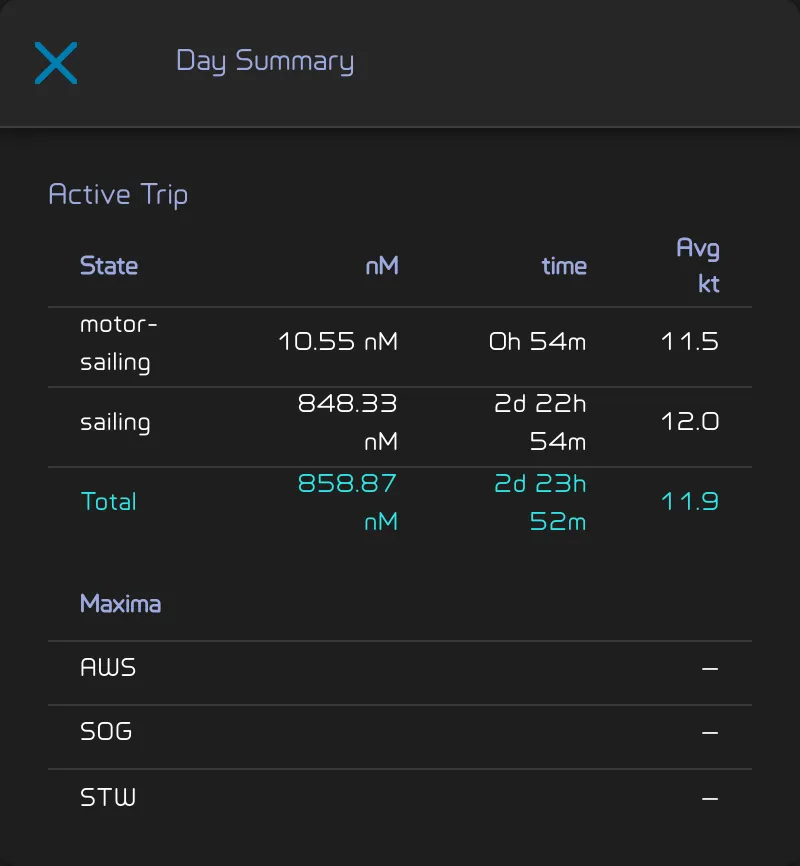
The Log group at the top left shows the distance on the boat's trip log, or, if the boat has none, the distance of the latest trip Zora recorded. Tap it for the Day Summary: the distance, time and average speed of the trip in each vessel state. Tap it again, or the close button, to put it away.
True wind and current
At the bottom, left of SOG, the True Wind group shows the true wind speed and direction (TWS, TWD), and the Current group the current's speed and direction (CS, CD). A group appears once one of its values arrives. Tap a value for its history.
The Sail wind widget
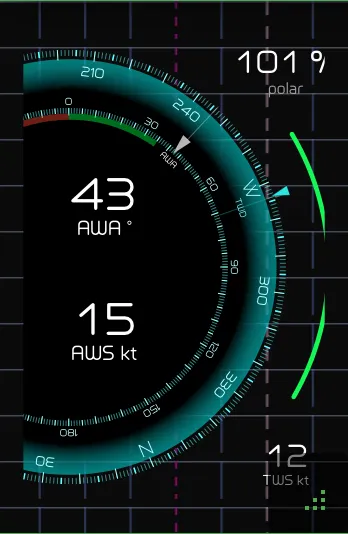
The Sail wind widget shows half of the PND's wind rose, so the wind fits in a narrower space on a screen of your own. In edit mode it is in the nav group, 8 by 12 cells at the smallest. See Edit Mode.
It shows the half of the rose the wind is on, and slides across when the wind changes side. It shows the middle while the PND's AWA number is centred, and when the wind is within 15 degrees of dead downwind.
The compass ring turns with the heading and holds the TWD arrow and the true wind bars. The wind ring holds the AWA arrow and the red and green arcs. Angles to port read negative. AWA and AWS sit beside the centre of the rose, TWS at the bottom. When sailing, the polar percentage shows at the top; tap it for its history. The boat, the heading number, depth, STW and the autopilot buttons are left out.